

This help page is for Studio. This information is also available for Desktop Studio.
|
|
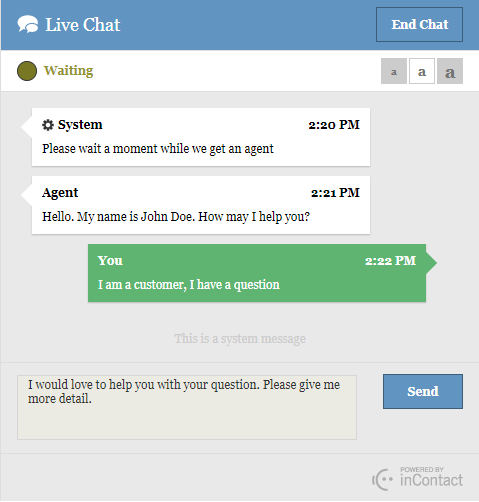
Allows you to send a message to chat contacts to let them know their position in the chat queue. The Message value is displayed in the customer chat interface to waiting contacts . If your organization uses V2 (HTML5) custom chat profiles, a waiting queue and waiting message may be configured as part of the profile. In that instance, when the contact enters the waiting queue, the waiting message will display for the first five seconds, followed by the value in the Message field. These messages alternate every five seconds for the duration of the contact's time in the waiting queue. This configuration also restricts the character count of the Message field as described later in this topic. If a waiting queue is not configured, only the value in the Message field displays. The queue information appears as a system message, as shown in the following image. |

 View image
Dependencies
Quemsg should follow Reqagent in the script.
Supported Script Types
|
|
| Chat |

Input Properties
These properties define data that the action uses when executing.
Result Branch Conditions
Result branch conditions allow you to create branches in your script to handle different outcomes when an action executes.
|
Condition |
Description |
|---|---|
|
Default |
Path taken unless the script meets a condition that requires it to take one of the other branches. It is also taken if the action's other branches are not defined. |
|
Error |
Path taken when the action fails to execute properly. For example, when there is an unexpected problem such as poor connectivity, syntax errors, and so on. The _ERR variable, with a single underscore character, should be populated with a condensed explanation of the problem. |