

Click the agent application you use
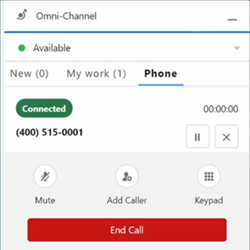
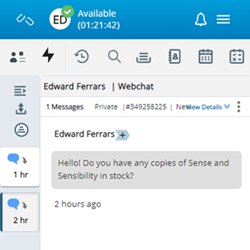
| Unified Agent for Salesforce Voice (SFV) | Embedded Agent Workspace for Salesforce |
|---|---|
|
This app is opened by clicking the Omni-Channel widget at the bottom of Salesforce, then clicking the Phone tab. |
This app is opened by clicking the Phone widget at the bottom of Salesforce Lightning. It is the newest agent application for Salesforce. |
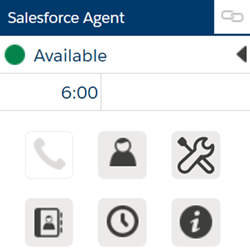
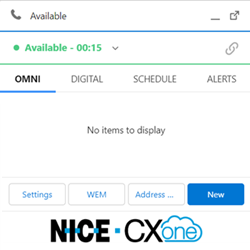
| legacy Salesforce Agent (Classic view) | legacy Salesforce Agent (Lightning view) |
|
This app is opened by clicking the Phone widget at the bottom of Salesforce Classic. |
This app is opened by clicking the Phone widget at the bottom of Salesforce Lightning. |
Identify Salesforce Agent Applications by Name
Recent product naming updates may cause differences between the name you see in product documentation, AppExchange, and Salesforce Setup. Use the following information to identify the correct application and package.
About application naming
The same application can appear under different names depending on where you view it.
-
Product Name: The current official name used in marketing materials and product documentation.
-
Previous Name: The product name used before the naming update.
-
Salesforce AppExchange: The name displayed in Salesforce AppExchange when you install the application.
-
Package Name: The name displayed in Setup > Installed Packages. Package names are created when a package is initially published and cannot be changed after installation.
 Product Names
| Product Name | Previous Name | Salesforce AppExchange | Package Name |
|---|---|---|---|
| Unified Agent for Salesforce Voice | Agent for Service Cloud Voice | NiCE Agent for Salesforce Voice | CXone Agent for Service Cloud Voice |
|
Embedded Agent Workspace for Salesforce |
CXone Mpower Agent Workspace for Salesforce |
NiCE Agent Workspace for Salesforce Embedded OpenCTI | NiCE CXone Agent for Salesforce |
| Salesforce Agent (classic and lightning) | Salesforce Agent | NiCE Salesforce Agent - CTI / IVR / ACD / Dialer / Contact Center | NiCE inContact CXone Agent for Salesforce |